
Table of Contents
Our Rating: 4.5 / 5
Is Bark worth it? That depends on what you are looking for. Bark is one of the most thoughtfully designed parental monitoring tools available today. Rather than reading every message your child sends, it uses artificial intelligence to detect warning signs — bullying, predatory contact, depression, explicit content — and alerts you only when something concerning surfaces. For parents raising teenagers in a social-media-saturated world, that balance of awareness and privacy is genuinely compelling. It is not a content blocker, and it does have real limitations. But as a safety net for families who want to stay informed without going full surveillance-mode on their kids, Bark earns a strong recommendation.

What Is Bark?
Bark is an AI-powered child safety platform founded in 2015 and headquartered in Atlanta, Georgia. As of 2025, it has been used by more than 6 million families and has helped identify millions of alerts related to depression, suicidal ideation, bullying, and online predators. The company works directly with law enforcement and school districts across the United States.
The core philosophy behind Bark is a meaningful departure from traditional parental controls. Most filtering software works on a blocklist model: it prevents access to certain categories of content. Bark does not do that — at least not as its primary function. Instead, it connects to your child’s accounts and devices, uses machine learning to read the signals in their digital communication, and sends you an alert when something concerning is detected.
Think of it less like a fence and more like a trusted advisor who taps you on the shoulder and says, “Hey, you might want to have a conversation with your teenager tonight.”

How Much Does Bark Cost?
| Plan | Price | Best For | Core Features |
|---|---|---|---|
| Bark Jr | ~$5/month | Ages 5–12 | Web filter, screen time limits, text/email monitoring, GPS location |
| Bark Premium | ~$14/month (or ~$99/year) | Ages 10–17 | Full social media & email monitoring, alerts, screen time, web filtering, location tracking |
✅ 7-day free trial for new subscribers. No long-term contract required.
✅ Cancel anytime. No fees.
✅ Unlimited devices per family account
What Does Bark Monitor? And what it doesn’t.
What Bark monitors:
- Text messages and iMessages
- Email (Gmail and Outlook)
- Social media: Instagram, Snapchat, TikTok, YouTube, Twitter/X, Facebook, Pinterest, Tumblr, Reddit, and more
- Messaging apps: WhatsApp, GroupMe, Kik, Discord, Slack
- Google Drive documents (especially useful for school Chromebooks)
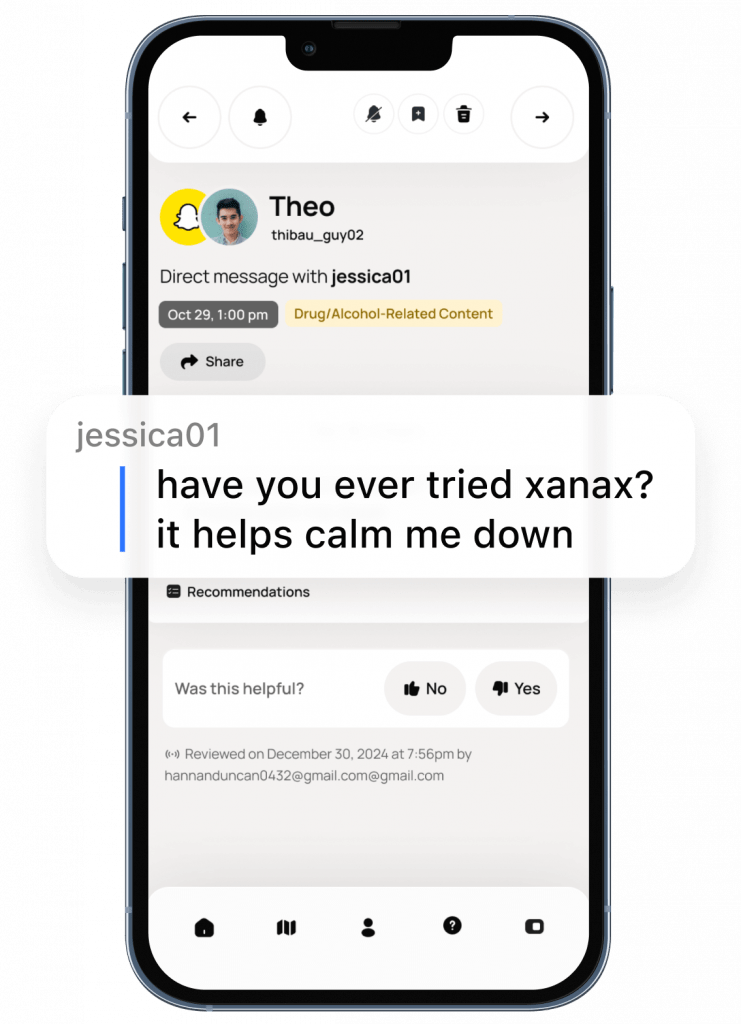
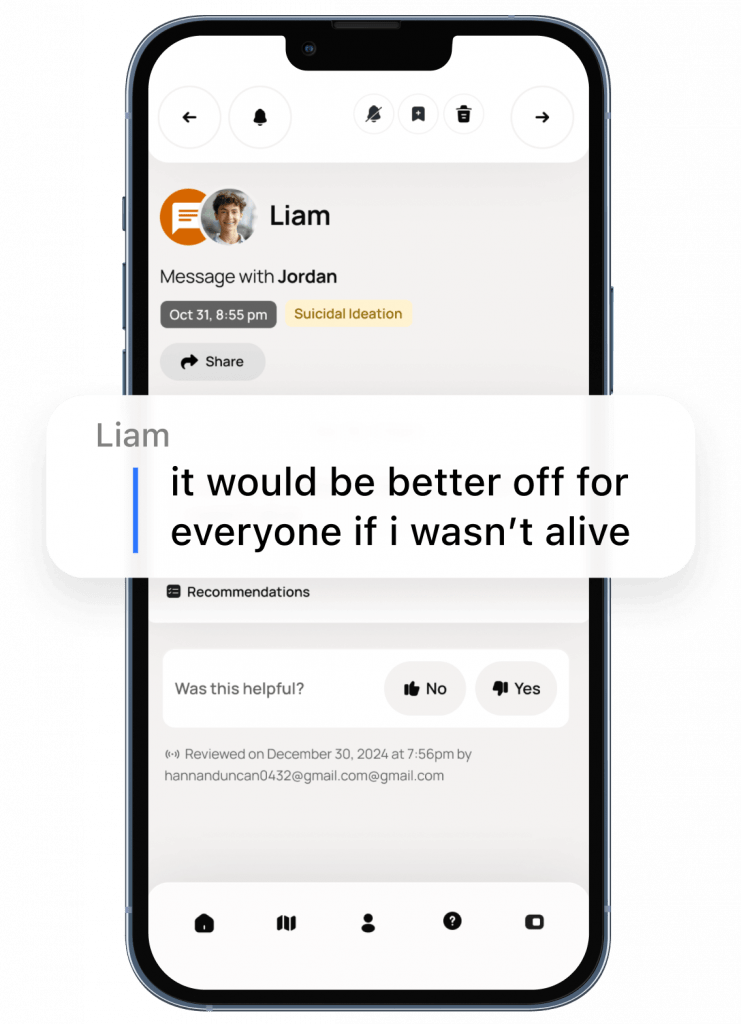
What Bark looks for:
- Cyberbullying (giving and receiving)
- Depression and anxiety indicators
- Suicidal ideation and self-harm
- Explicit sexual content
- Contact from potential predators
- Drug and alcohol references
- Violence-related content
What Bark does NOT monitor:
- General browsing history (web filtering is a separate feature)
- Apps it hasn’t been connected to
- End-to-end encrypted messages (Signal, some iMessage threads)
- Disappearing messages (some Snapchat content)
Platform note: iOS restrictions mean Android devices get deeper integration. If your household is heavily Apple-based, test this carefully during the free trial.
Supported platforms: iOS, Android, Chromebook, Amazon Fire tablets.
📱 Bark Phone Review
The Bark Phone is one of the company’s biggest innovations — a fully managed smartphone built for kids, preloaded with Bark’s safety features.
✅ Highlights
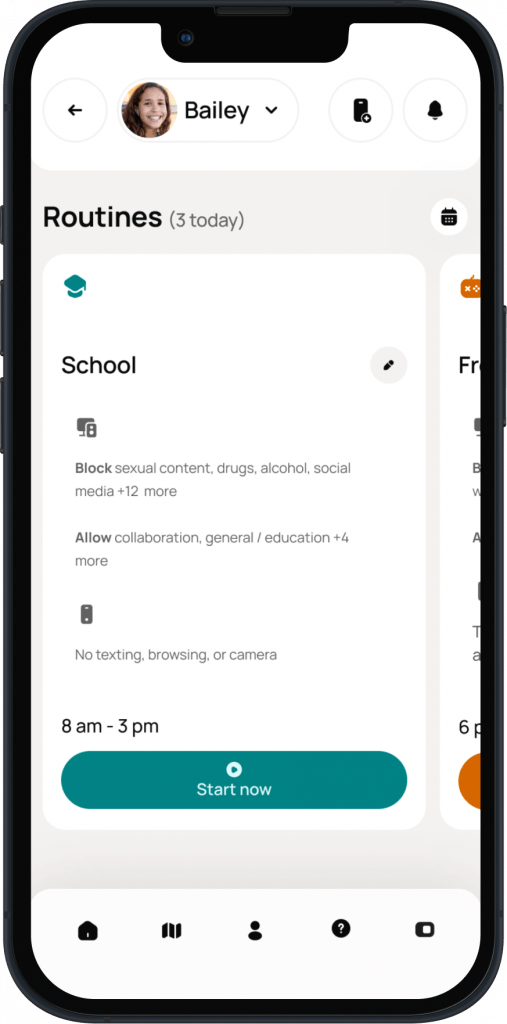
- Bark monitoring built into the OS: parents get alerts natively — no sideloading or complex setup.
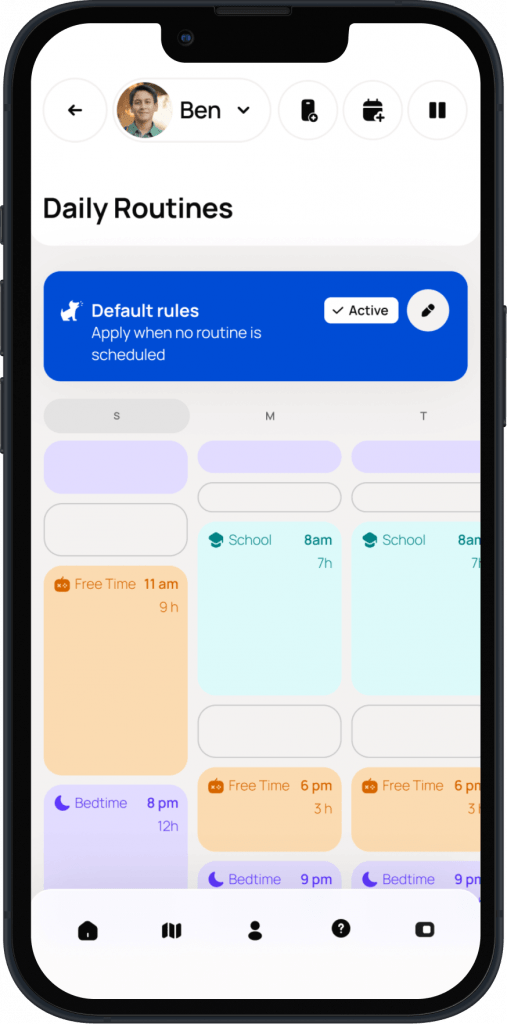
- Customizable controls: parents decide which apps are allowed, when the phone works, and how much freedom to give over time.
- No app store loopholes: kids can’t download unsafe apps or use VPNs to bypass limits.
- Safe independence: calls, texts, and location tracking without full social media exposure.
💬 Parent Reviews
Parents generally love the peace of mind:
“The Bark Phone was the first time I didn’t have to fight with settings every week — it just works.” – Parent review, Common Sense Media (2025)
“We got the Bark Phone for our 11-year-old and it’s been amazing. She still feels connected, but I’m not worried about predators or TikTok.” – Verified user, Reddit Parenting Group
⚠️ Cons
- Pricier than standard Android models ($49–$199 depending on model).
- Teens may feel “uncool” with a monitored phone.
- Limited app flexibility — designed for younger users.
Verdict: Perfect for preteens or early teens who are ready for some independence but not ready for full smartphone access.
⌚ Bark Watch Review
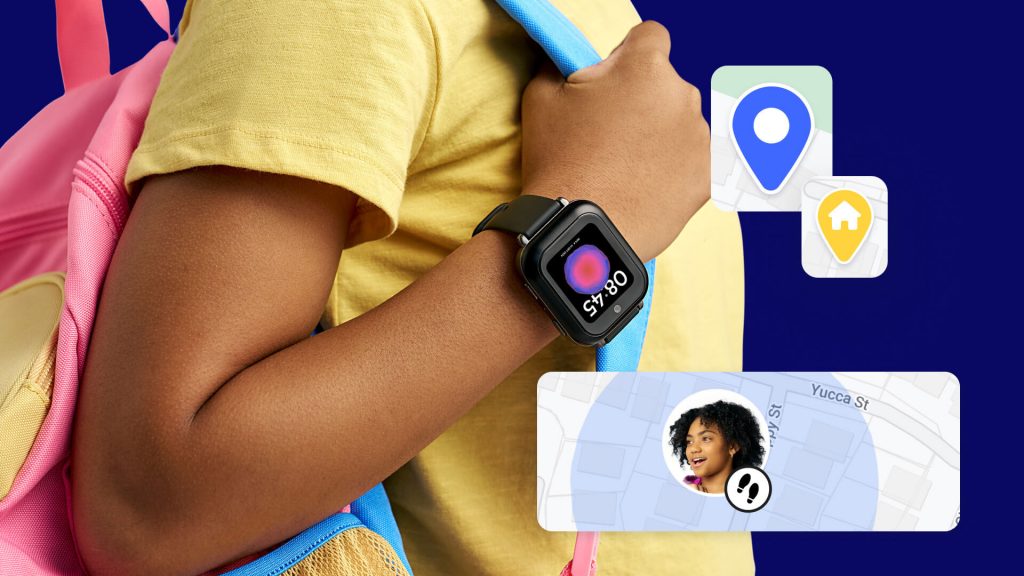
The Bark Watch gives kids mobility and communication without the risks of a full phone.
✅ Highlights
- Two-way calling and texting (parent-approved contacts only)
- Real-time GPS location tracking
- SOS/emergency alerts
- Integrated Bark monitoring
- Ideal for ages 8–12
💬 User Sentiment
Parents love that it “lets kids be reachable but safe.” It’s often used as a stepping-stone before a Bark Phone.
⚠️ Drawbacks
- Setup can be tricky on iOS.
- Battery life ranges from 1–2 days with heavy use.
- Limited app ecosystem — designed intentionally minimal.
Verdict: A strong alternative for younger children who need contact and tracking, not entertainment.
🤖 Bark’s AI Monitoring Review — The Secret Sauce
Bark’s AI uses natural language processing to interpret context and emotion, reducing false alarms. For example, it can distinguish “I killed it at tryouts” from an actual violent or suicidal statement.
This is why many therapists and parenting coaches recommend Bark over “spyware-style” trackers — because it promotes trust, not paranoia.
Parent Feedback Highlights:
- “I finally get alerts that matter. Not noise.”
- “Helped me catch a serious bullying issue before it escalated.”
⚖️ Is Bark Worth It? (2026 Verdict)
If you’ve been wondering “Is Bark worth it?”, here’s the truth:
Yes — for most families, Bark is absolutely worth it. Especially if you’re raising kids between 10 and 17 who use social media or messaging apps regularly.
Bark’s approach — smart alerts instead of constant spying — keeps communication healthy. It’s less invasive than most parental control apps while still providing essential protection.
Where Bark truly shines is when paired with its own devices (Bark Phone & Bark Watch), giving families a full ecosystem of managed safety.
Bark Review – Pros and Cons
✅ Pros
- AI-powered alerts, not surveillance. Bark surfaces the conversations that warrant attention — not transcripts of everything. A significant distinction for your relationship with your teenager.
- Deep social media monitoring. Direct integrations with the platforms teenagers actually use, with AI that understands context, not just keywords.
- Privacy-respecting by design. Bark watches for danger rather than reading everything. Many counselors recommend this approach for families with older teens.
- Affordable. $14/month for unlimited devices is competitive for the monitoring depth provided.
- Targeted alerts, not noise. Bark’s AI is calibrated to reduce alert fatigue and highlight what actually matters.
- Bark Phone and Watch extend safety to hardware.
❌ Cons
- Bark does not block content. If preventing access to pornography is the primary goal, Bark alone isn’t enough. It alerts after detection — it doesn’t stop exposure.
- Relies on parent responsiveness. The tool surfaces danger; the parent has to act on it.
- iOS limitations. Some features work better on Android due to Apple’s platform restrictions.
- Teens can find workarounds. A teenager who knows Bark is installed can use platforms it doesn’t monitor. True of virtually all parental monitoring tools.
Who Bark is best for:
- Parents of tweens and teens (ages 10–17) active on social media
- Families who want awareness without total surveillance — particularly for older teens, where trust is part of the relationship
- Parents who want early warning for crisis-level concerns (self-harm, predators, severe bullying)
- Families already using a content filter who want to add a social monitoring layer
Bark vs. Covenant Eyes — Which Is Right for Your Family?
| Feature | Bark | Covenant Eyes |
|---|---|---|
| Primary function | AI monitoring and alerts | Accountability and content filtering |
| Best age range | Tweens and teens | All ages, including adults |
| Monitors social media | Yes, deeply | Limited |
| Blocks content | Limited web filter | Yes, robust filtering |
| Accountability reports | No | Yes — sent to accountability partner |
| Designed for | Teen safety awareness | Porn accountability and filtering |
| Price | From $5/month | From $15.99/month |
The simplest way to think about this: Bark is a monitoring tool for parents watching over their children’s online world. Covenant Eyes is an accountability tool designed to help individuals — including adults and older teens — take ownership of their own digital purity with a pastor, spouse, or mentor as an accountability partner. So is Bark worth it? It depends on what kind of tool and outcomes you are looking for.
Many families use both — Bark for the teenager’s devices and Covenant Eyes for both the teenager and adults in the home. They are complementary, not competing.
→ Read our full Covenant Eyes review or explore our Best Parental Control Apps for Christian Families

How to Get Started with Bark
Step 1: Visit bark.us → start your 7-day free trial → choose Bark Jr or Bark Premium.
Step 2: Install the Bark app on your child’s device. Android: install Bark for Kids app. iPhone: setup through Apple ID settings. Chromebook: through Google admin console.
Step 3: Connect social media and email accounts from the parent dashboard. Bark does not store your child’s passwords.
Step 4: Configure alert preferences by category and sensitivity level to match your family’s specific concerns.
Step 5: Review your first alert. Bark provides conversation guides for difficult topics — genuinely helpful if you are unsure how to approach the conversation with your child.
Setup typically takes 30–60 minutes, depending on how many devices and accounts are involved.
Frequently Asked Questions
Does Bark read my child’s messages?
No. Bark uses AI to scan for concerning patterns and only alerts parents when something troubling is detected. There is no live feed of your child’s conversations.
Can Bark see Snapchat?
Bark can monitor Snapchat on Android devices. On iOS, monitoring is more limited due to Apple’s platform restrictions. Check Bark’s current supported platforms page before committing.
What age is Bark best for?
Tweens and teens aged 10–17 who are active on social media. For younger children not yet on social media, simpler tools with screen time controls may be more appropriate.
Does Bark work on iPhone?
Yes, though some features are more limited on iOS compared to Android. Text messages, email, and connected social accounts are still monitored. Test during the free trial if your household is iPhone-based.
Is Bark a content blocker?
Not primarily. It focuses on alerting parents after detecting harmful content.
Is Bark worth it for older teens?
Yes – particularly as they gain independence online.
Is there a Bark free trial?
Yes – 7 days, no long-term commitment, cancel any time. Full feature access during the trial period.
Is my child’s data secure?
Yes. Bark’s website uses SSL encryption and all analyzed data is store within encrypted databases.
Is the Bark app available outside the U.S.?
Bark app is available in the United States (including U.S. territories, Australia, and South Africa. Bark is working to bring it to more regions.
Conclusion
So, is Bark worth it? For most families with teenagers on social media, the honest answer is yes.
Bark will not solve every problem. It will not block every piece of inappropriate content, and it will not stop a resourceful teenager from finding blind spots. What it will do is give you a meaningful early warning system for the things that matter most — signs of crisis, predatory contact, severe bullying — without turning your home into a surveillance state. For families trying to balance safety with trust-building, that is a real and valuable thing.
Whether through the Bark app, Bark Phone, or Bark Watch, this ecosystem helps families balance freedom and protection in a world of constant digital noise.
Start with the free trial. Connect it to the accounts your child uses most. See what it surfaces. You may find it changes not just how you monitor your child, but how you talk to them.
For more tools and guidance, see our Best Parental Control Apps for Christian Families guide, read more about Covenant Eyes or browse our clean family movie reviews.
What has been your experience with Bark?